
Create content
Generate a transcript in DoroSocial
Transcripts turn a video into reusable source text for platform captions, titles, descriptions, notes, and future repurposing. You can start transcription during upload or later from the content item page.
Quick answer
Upload a video, make sure source media is available, then use Auto-transcribe during upload or click Transcribe now from the item page. AI transcription requires access and available credits.
Before you start
Use a video item
AI transcription is for video source media. Images and text-only items do not need this step.
Keep media available
If the source video expired or is missing, re-upload it before starting transcription.
Check access and credits
Pro and eligible campaign accounts can transcribe when enough AI credits are available.
Transcript workflow
Step 1
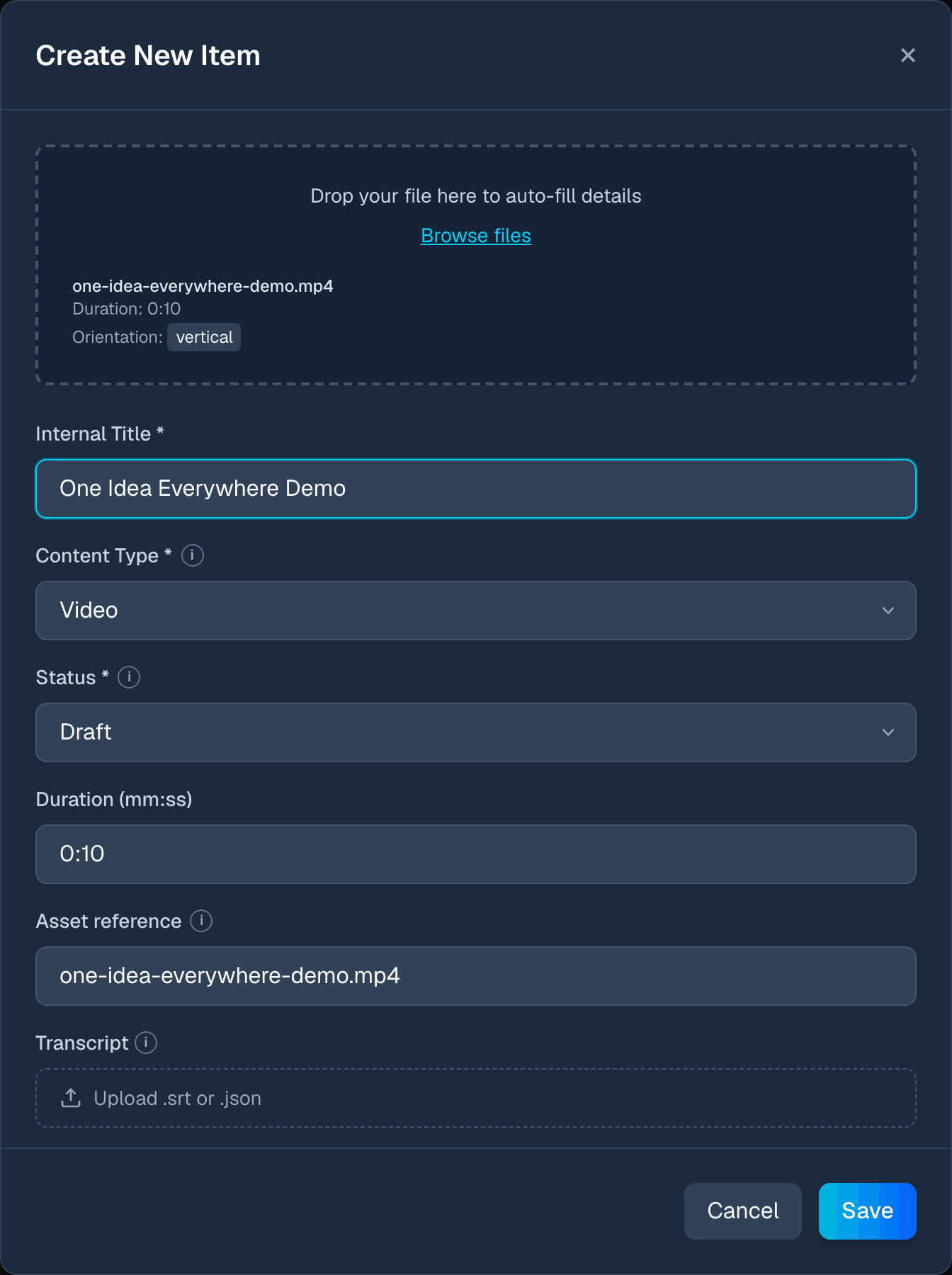
Start with a video content item
Transcription is available for video items. Upload a video first, or open an existing video item that still has its source media available.
Step 2
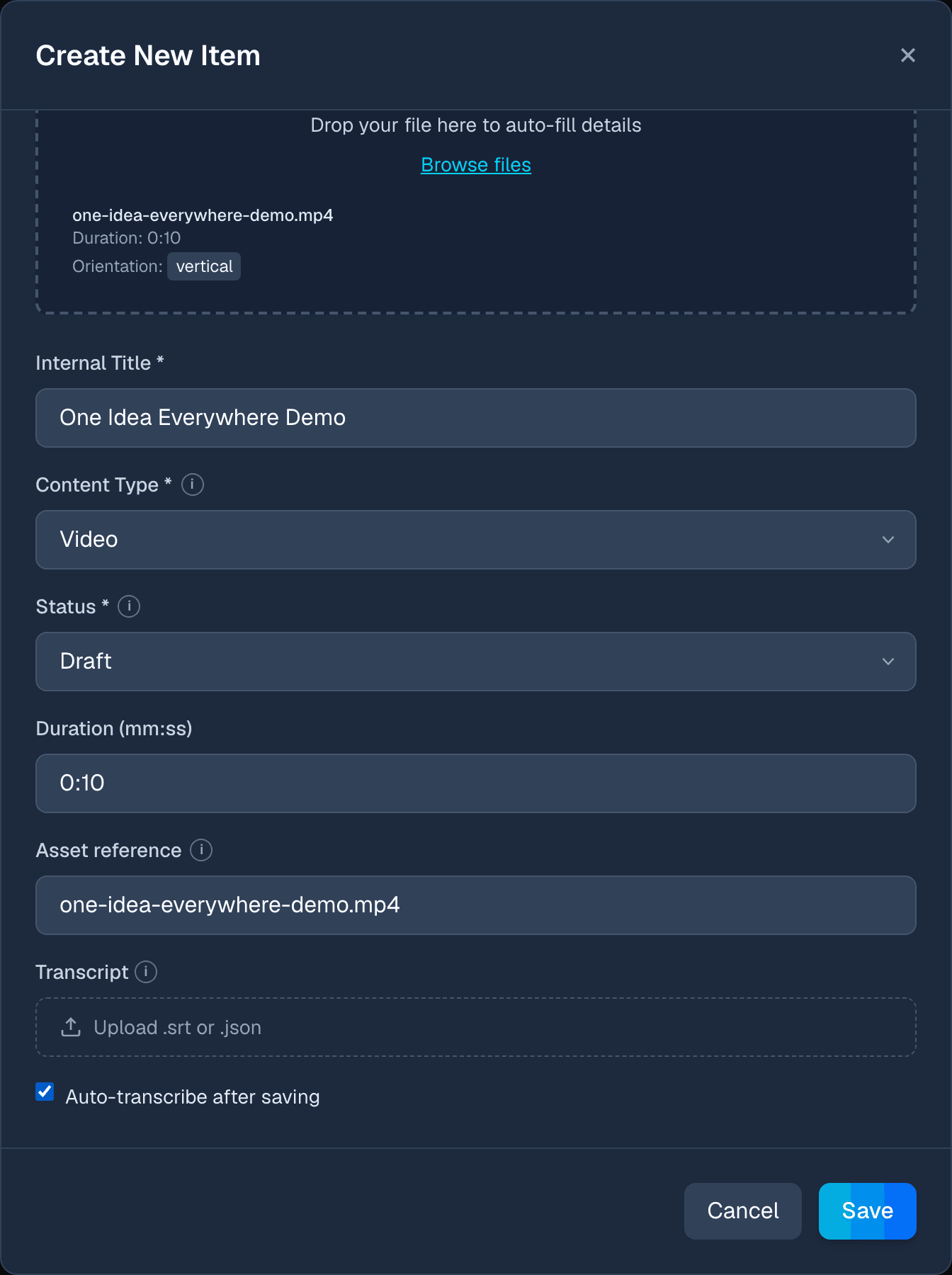
Choose auto-transcribe during upload
If your account has transcription access and credits, enable Auto-transcribe after saving. DoroSocial will upload the video, create the item, and queue transcription in the background.
Step 3
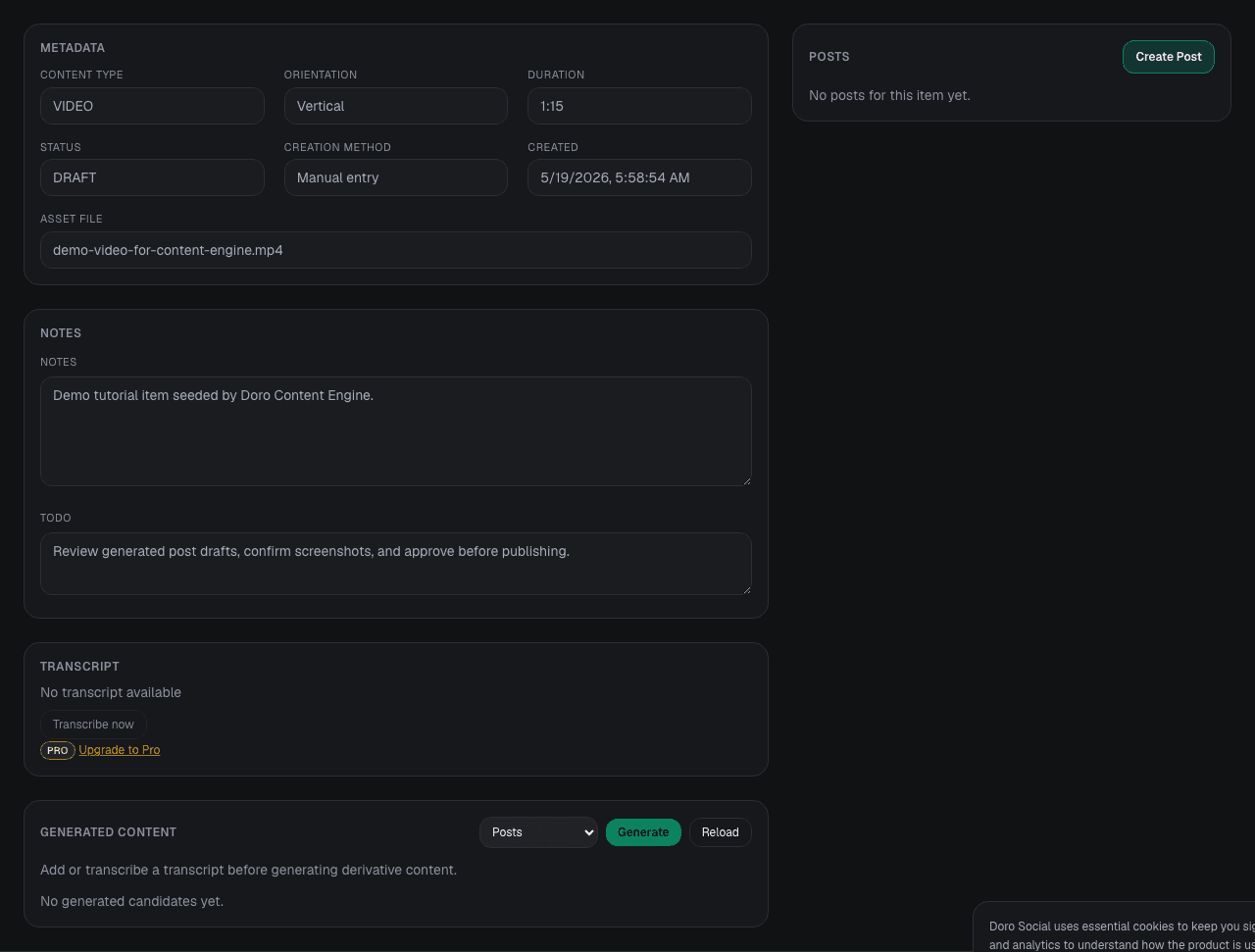
Or transcribe later from the item page
Open the content item and use the Transcript panel. If no transcript exists, click Transcribe now. The page shows Processing while the background job runs and updates when the transcript is ready.
Step 4
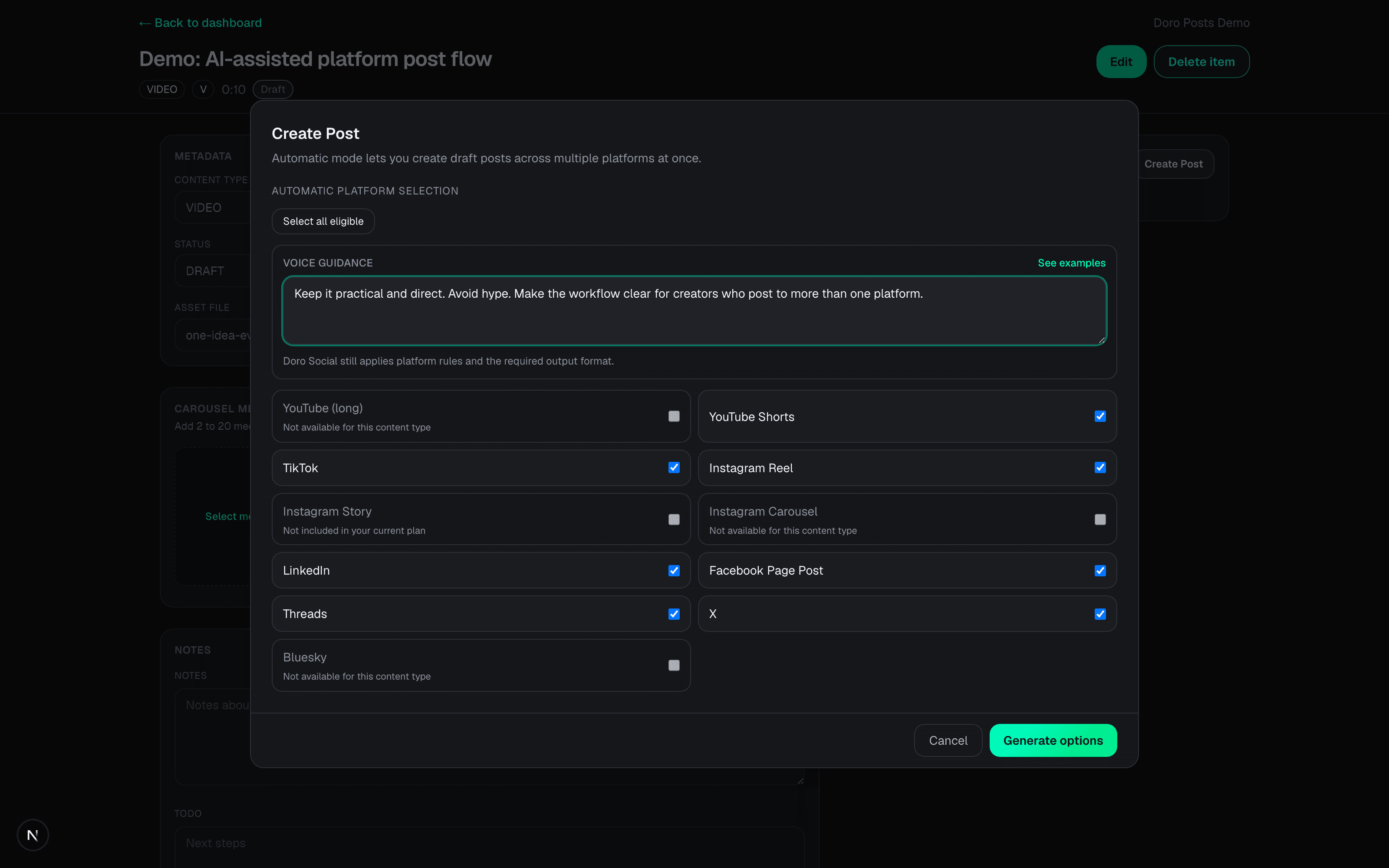
Use the transcript for platform drafts
After the transcript is available, use it to generate platform-specific titles, captions, and post options, or write manual drafts with the transcript as reference.
Transcript states
State
No transcript available
What it means
The video item does not have transcript text yet.
What to do
Click Transcribe now, upload a transcript file, or create a new item with auto-transcribe enabled.
State
Transcription in progress
What it means
The background transcription job is running.
What to do
Keep working elsewhere. The item page refreshes when the transcript is ready.
State
Transcription failed
What it means
The job could not finish.
What to do
Try again. If the source media expired or credits are missing, fix that first.
State
Transcript already available
What it means
Transcript text exists on the item.
What to do
Download it as SRT or text, review it, then use it for platform draft generation.
Common questions
Do free users get AI transcription?
No. Free users can organize content and create manual drafts, but AI transcription requires Pro access, a campaign unlock, or another eligible account benefit with available credits.
Can I upload my own transcript instead of using AI transcription?
Yes. When creating or editing a video item, you can provide transcript data manually or upload supported transcript data if you already have it.
What happens if the source video expires before transcription?
DoroSocial cannot transcribe missing source media. Re-upload the source video, then start transcription again.
Does transcription publish anything automatically?
No. Transcription only creates transcript text. You still review the transcript and decide whether to create platform drafts, publish, or schedule posts.
Next tutorial
Once a transcript is ready, create platform-specific draft posts from it.