
Create content
Generate titles and descriptions in DoroSocial
Use a video transcript to generate platform-specific title, caption, and description options. DoroSocial keeps generated text as drafts so you can review and edit before publishing.
Quick answer
Open Create Post, choose Create Automatically, select eligible platforms, add optional voice guidance, then review the generated options before creating drafts.
Before you start
Transcript required
AI-assisted writing uses transcript text as the source. Generate a transcript first if the item does not have one.
Credits required
AI-generated title and caption options require eligible access and available AI credits.
Review before publishing
Generated options are drafts. Check claims, links, hashtags, tone, and platform requirements before posting.
Generation workflow
Step 1
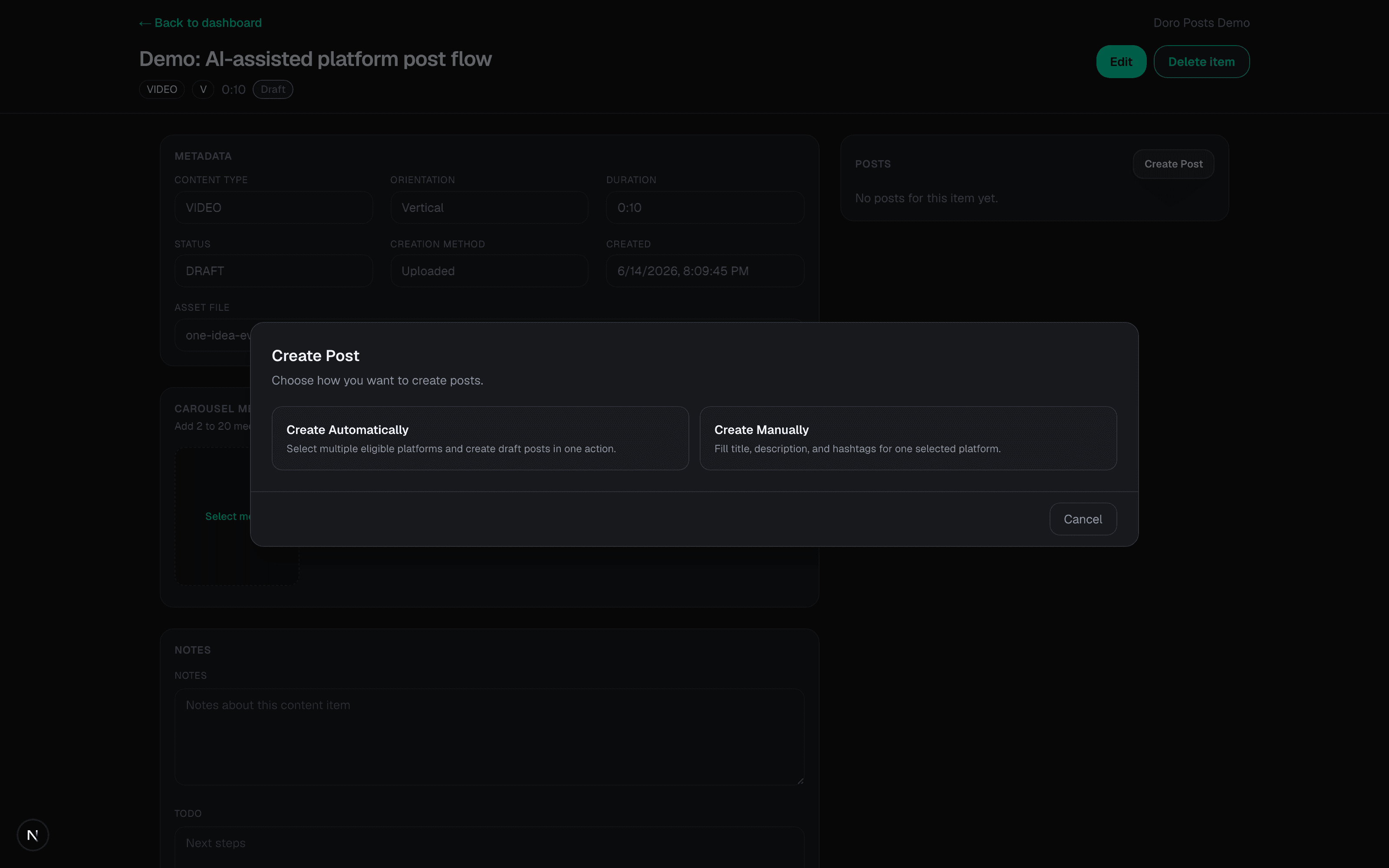
Open Create Post
Open a video item that already has transcript text, then click Create Post. DoroSocial asks whether you want AI-assisted creation or manual writing.
Step 2
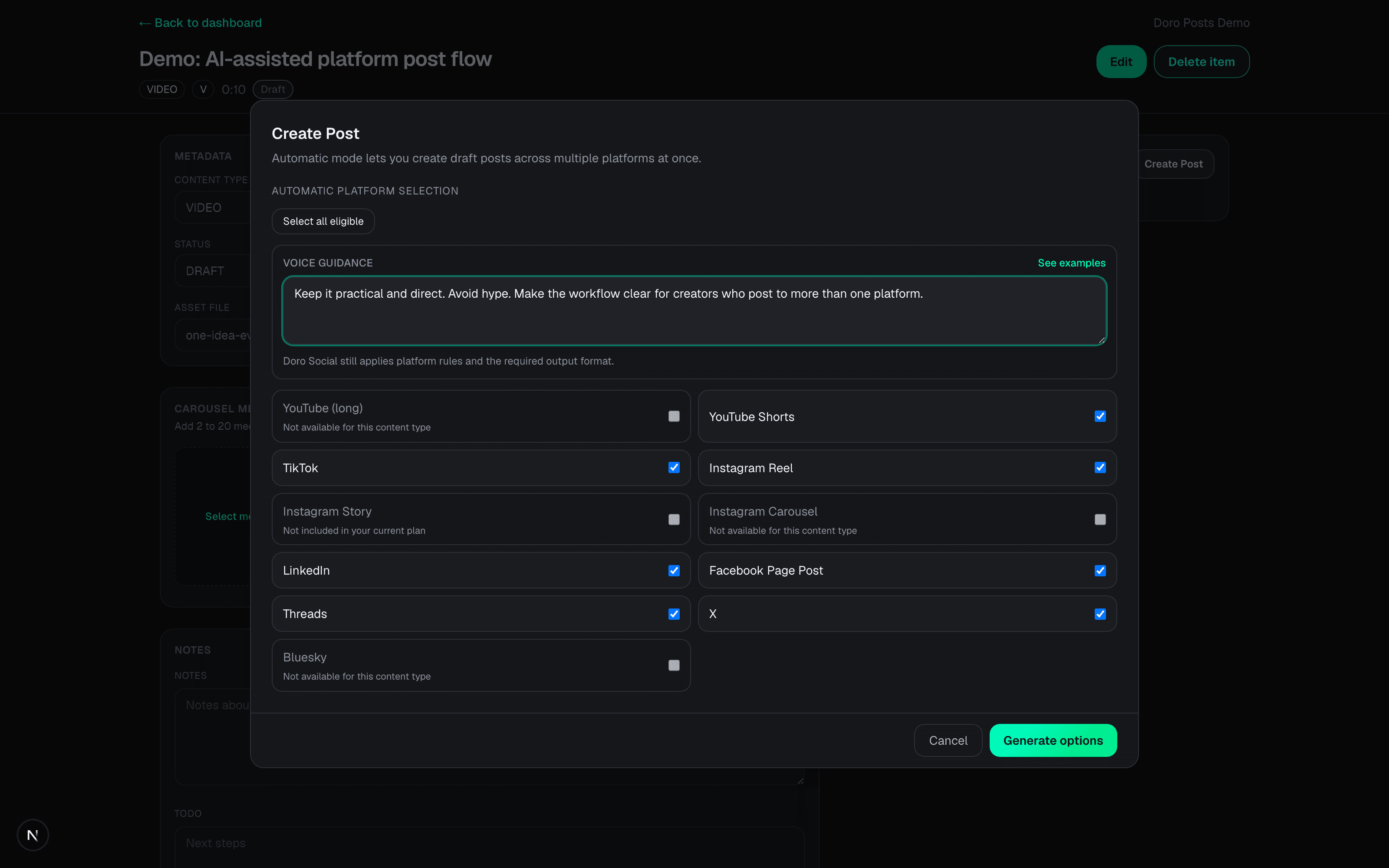
Choose Create Automatically
Select the eligible platforms and add voice guidance if needed. DoroSocial uses the transcript, selected platforms, and guidance to prepare platform-specific options.
Step 3
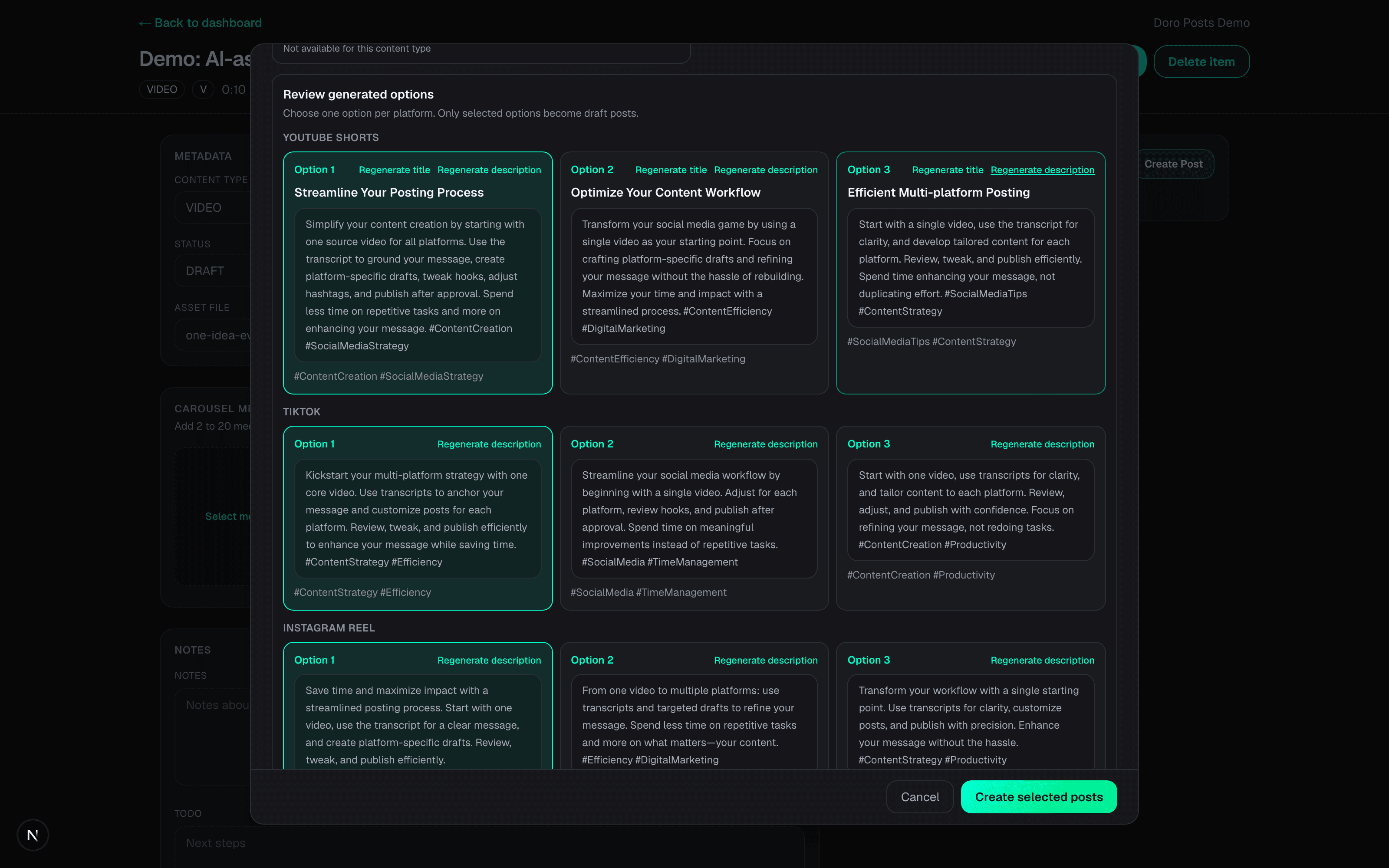
Review generated options
Review the generated choices before creating drafts. DoroSocial does not publish the generated text automatically.
Step 4
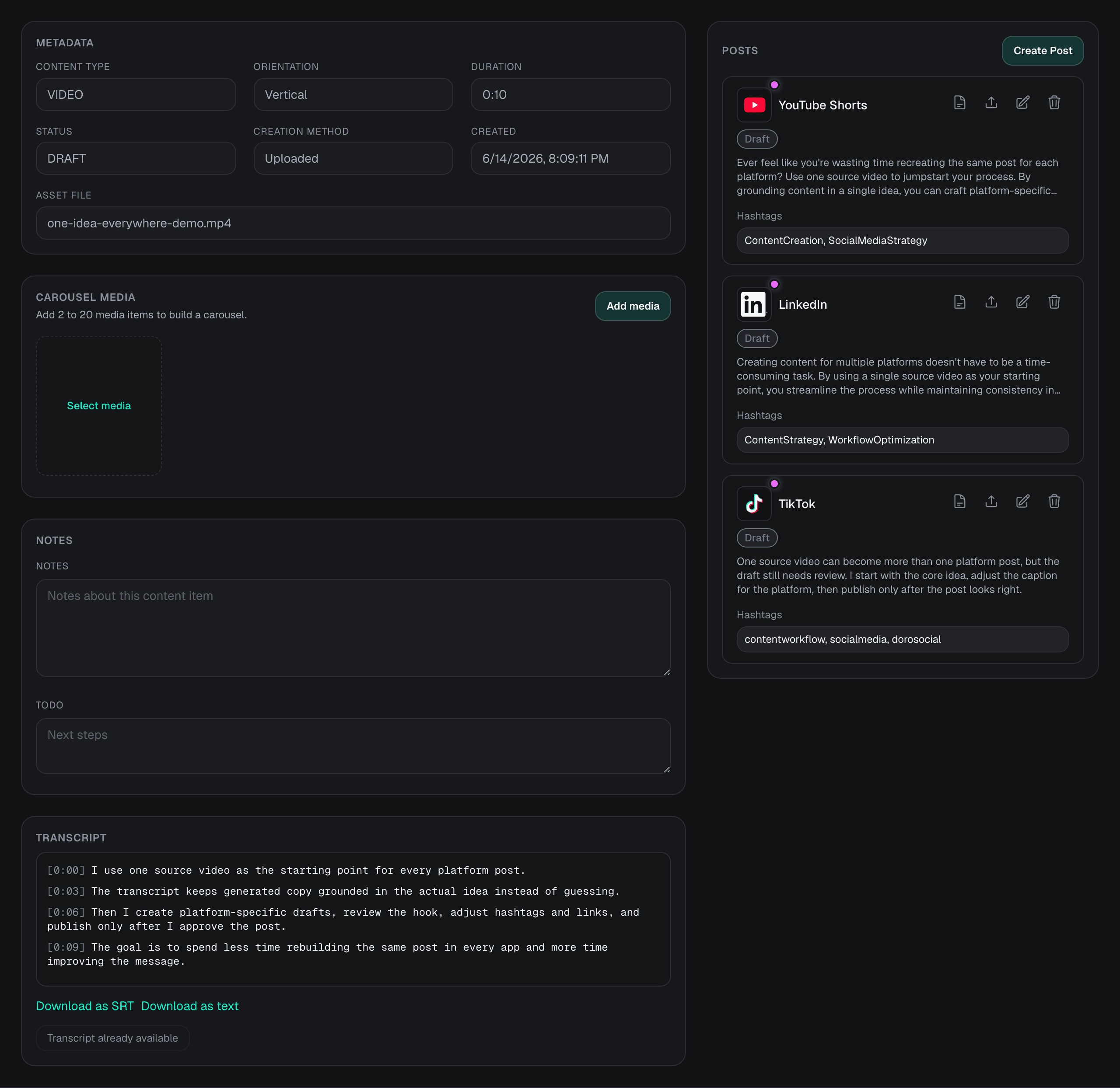
Create draft posts
Create the selected drafts, then edit the title, caption, hashtags, links, and platform settings before publishing or scheduling.
What can be generated?
Field
Title
When it appears
Generated when the selected platform/content type supports a title.
Example
YouTube uploads can need a title.
Field
Caption or description
When it appears
Generated for platforms that need post text, caption text, or a video description.
Example
LinkedIn, TikTok, Instagram, Threads, and other social posts use caption or body text.
Field
Hashtags
When it appears
Can be included when the platform and draft structure support them.
Example
Review hashtags before publishing because platform norms differ.
Field
Voice guidance
When it appears
Used as an instruction to shape tone, audience, and call to action.
Example
Ask for practical, direct copy or tell DoroSocial what words to avoid.
Common questions
Do I need a transcript before generating titles and descriptions?
Yes. AI-assisted title and caption generation uses transcript text as the source. If the item does not have a transcript, generate one first or write the post manually.
Does every platform get a title?
No. Some platforms and content types support a title, and some only need caption or post text. DoroSocial includes a title when the selected destination supports one.
Does generated text publish automatically?
No. Generated options become drafts only after you select them. You still review, edit, publish, or schedule the drafts yourself.
Do generated titles and descriptions use AI credits?
Yes. AI-assisted writing requires eligible account access and available AI credits. Manual platform drafts do not require AI credits.
Next tutorial
After creating drafts, learn how to publish now or schedule selected platform posts.