
Start with one source item
Keep the video, image, notes, links, and optional transcript together before you decide where it should go.
Multi-platform scheduling
Doro Social helps you turn one source into platform-specific drafts, review what is ready, and schedule supported connected channels without separating your content, captions, and publishing plan into different tools.
Publishing and scheduling depend on connected accounts, plan limits, media, and each platform's requirements.
The workflow
Posting across channels does not have to mean copying the same caption everywhere or rebuilding your work in every native app. Keep the shared source work together, then give each platform the draft and timing it needs.
Keep the video, image, notes, links, and optional transcript together before you decide where it should go.
Create manual platform drafts or use eligible AI features to prepare distinct copy for the supported channels you choose.
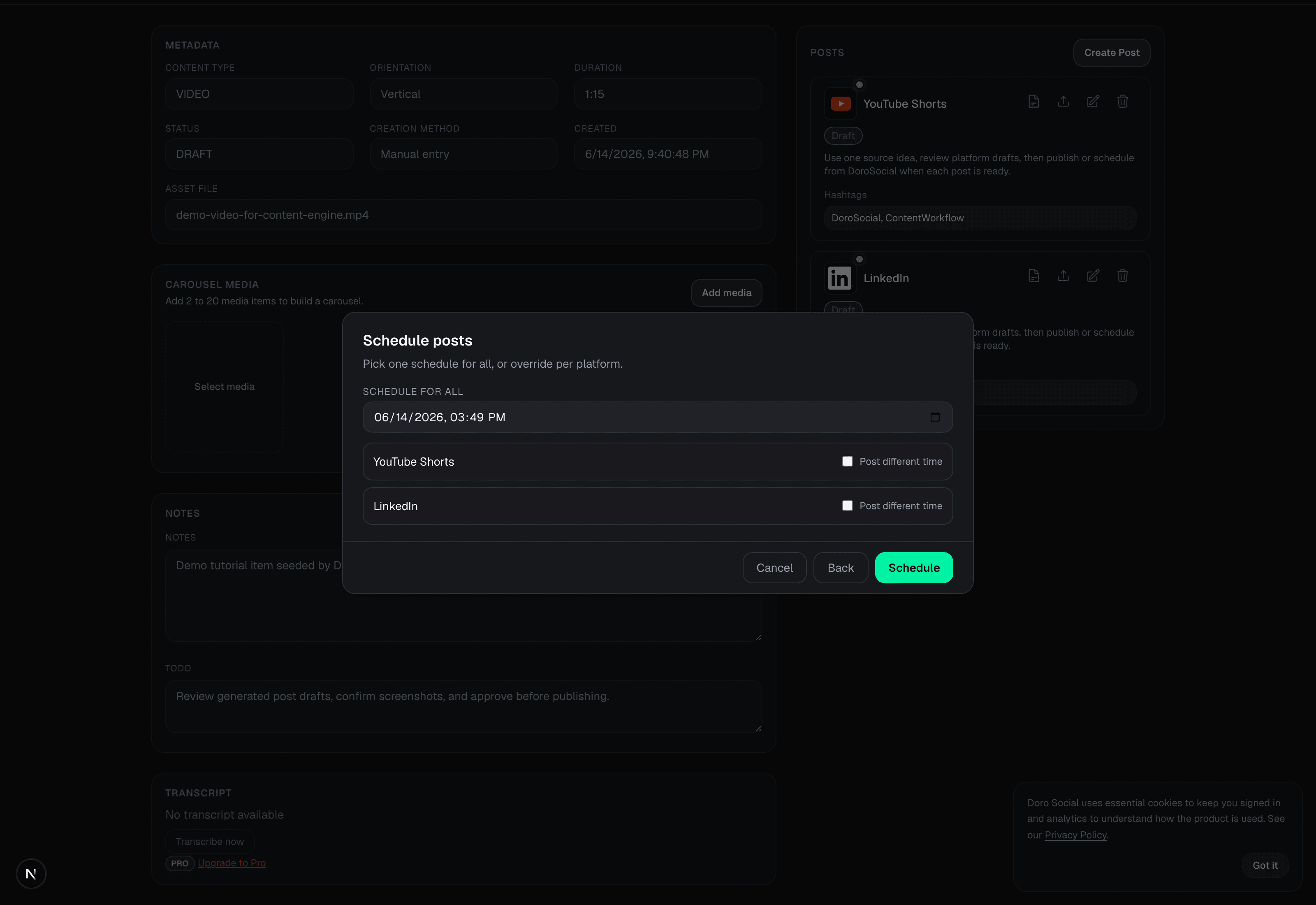
Review each draft, select the posts that are ready, then use one shared time or adjust timing by platform when needed.
Schedule with context
The scheduling step shows the selected drafts together. Choose a shared schedule when that makes sense, or override an individual platform's timing after you have reviewed its draft. The source content and post status remain attached to the same workflow.
This is useful when one piece of content becomes a YouTube Short, a LinkedIn post, and other channel-specific drafts, but each destination still needs its own copy or publishing conditions.
What stays connected
Common questions
You can choose one schedule for selected ready drafts, then change timing by platform when needed. Account, media, and platform requirements still apply to each destination.
No. Manual platform drafts are available within plan limits. AI transcription and draft generation are optional Pro features that use credits.
Doro Social supports publishing workflows for documented connected channel surfaces. Check the connection guide and current plan details for availability, account requirements, and platform-specific limits.