
Source and drafts
Keep source media, notes, links, and the LinkedIn draft in one content workflow instead of rebuilding the post from scratch when you are ready to publish.
LinkedIn personal profiles
Doro Social lets you connect a LinkedIn personal profile, prepare a platform-specific post, and publish it now or schedule it for later from the workspace where you already keep the source content, drafts, and publishing status.
This page covers LinkedIn personal profiles. LinkedIn Pages are not launch-ready in Doro Social, and publishing availability still depends on your connected account, plan, source media, and LinkedIn's requirements.
The practical answer
Scheduling is most useful when the post is part of a larger content workflow—not a disconnected reminder to copy text into LinkedIn later. Keep one source item as the starting point, prepare the LinkedIn version deliberately, then choose the time only after the draft and account are ready.
Open Social Integrations, authorize the LinkedIn account you intend to publish from, then confirm it appears in Doro Social before preparing a post.
Create a platform post from your source item and give LinkedIn its own copy. The source, notes, and other platform drafts stay attached to the same content work.
Check the selected account, draft, source media, and any required platform fields before choosing a publishing time. A connected account does not override platform requirements.
Use the publish flow to send the ready LinkedIn draft immediately or select a future time, then review the resulting status with the rest of the content item.
Real scheduling workflow
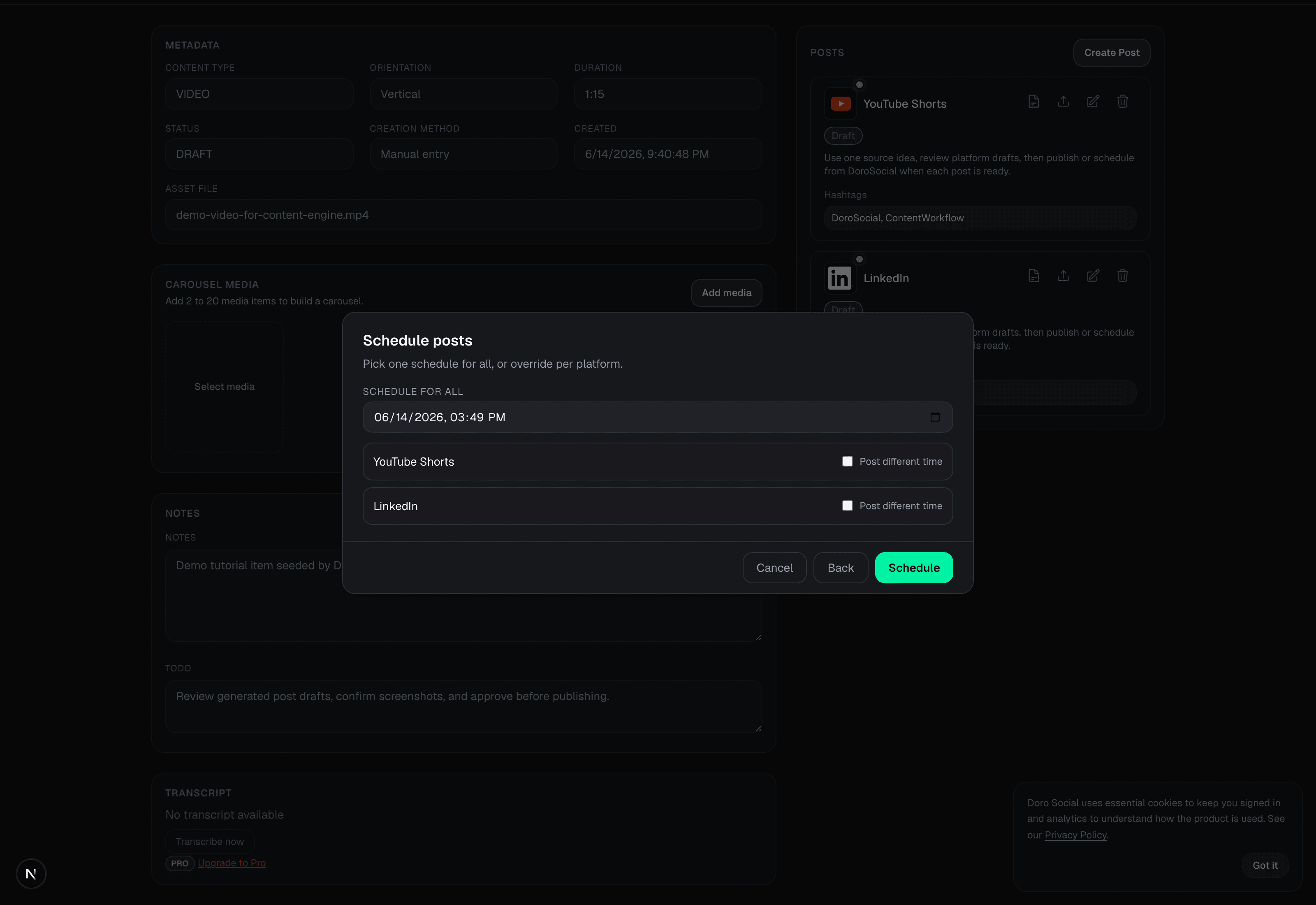
The Doro Social scheduling dialog shows the selected platform drafts together. For a content item with more than one ready draft, you can choose a shared schedule time and adjust timing by platform when needed. Your LinkedIn draft remains a distinct post—not a forced copy of another channel's caption.
This is especially helpful when a video, image, or written source becomes several posts. The source context and publishing state stay with the work instead of being scattered across a calendar, notes app, and native platform.
What Doro Social helps you keep together
Keep source media, notes, links, and the LinkedIn draft in one content workflow instead of rebuilding the post from scratch when you are ready to publish.
Give LinkedIn its own draft and review it on its own terms, even when the same source also becomes content for other supported channels.
Choose publish now or a future time once the account and post are ready. Scheduling does not require using Doro Social's optional AI features.
Review draft, scheduled, published, failed, and attention-needed states with the content item that produced the post.
Know the boundaries
Doro Social supports publishing to connected LinkedIn personal profiles. LinkedIn Pages are pending and are not included in this workflow or claimed by this page.
Doro Social provides a basic schedule view and a publish-or-schedule flow. It should not be represented as a mature campaign-planning calendar with features that are not currently available.
Free and Pro accounts have different connected-channel, scheduling-window, and daily publishing limits. LinkedIn authorization, source media, and required platform details also need to be valid at the time of publishing.
Common questions
Not as a launch-safe claim. This workflow is for LinkedIn personal profiles; LinkedIn Pages are not launch-ready.
Yes. You can create a manual platform draft within your plan limits. AI transcription and AI-generated copy are optional Pro features; they are not required to publish or schedule a post.
First check the connected account, source media availability, required post details, schedule time, and current limits. Fix the draft and retry rather than recreating the entire content item.